Why Phones Track You
Most people think ad tracking means seeing a sneaker ad after searching for sneakers once. The system goes much deeper than that. Phones generate advertising IDs tied to app activity, browsing behavior, purchases, location history, and even how long you pause on certain screens.
Data brokers stitch those fragments together constantly. Open a weather app at 7 a.m., scroll TikTok during lunch, search for hotels at night, and dozens of companies start building assumptions about income, routines, travel habits, and health concerns.
The scale is absurd.
Apple reported that apps requested tracking permission billions of times during the first year of App Tracking Transparency. Google continues shifting Android toward stricter privacy controls too, though the system still relies heavily on advertising revenue.
Tracking does not always look dangerous in isolation. One app collects location. Another reads contacts. Another tracks purchases. Together, though...
Where Data Leaks Start
A lot of tracking begins with permissions people approve without reading. A flashlight app asks for Bluetooth access. A shopping app requests precise location even when closed. Mobile games pull contact lists for “friend suggestions.”
Then there are advertising SDKs buried inside apps. A single free app may contain trackers from Meta, Google, TikTok, Amazon, and analytics firms most users have never heard of. Research from AppCensus found that thousands of Android apps quietly sent data to third parties even after users denied permissions.
Cheap free apps cost differently.
Phones also leak information through default settings. Android devices often ship with ad personalization active. iPhones generate advertising identifiers automatically unless users limit tracking manually.
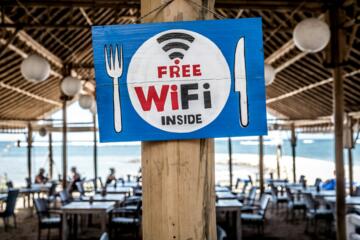
Public Wi-Fi creates another opening. Airports, hotels, and cafés sometimes collect browsing patterns or device identifiers for marketing analytics. You connect for 15 minutes and suddenly ads for luggage, restaurants, and airport parking start following you around.
People usually notice too late.
How To Cut Tracking
Disable ad personalization first
Start with the advertising ID settings built into the phone itself. On iPhone, open Settings, then Privacy & Security, then Tracking. Disable “Allow Apps to Request to Track.” On Android, open Settings, then Privacy, then Ads, and reset or delete the advertising ID.
This single setting reduces cross-app tracking dramatically. It does not stop all data collection, but it breaks one of the biggest linking systems advertisers rely on.
Do this immediately.
Audit app permissions monthly
Most people never revisit permissions after installing apps. That becomes a problem after 6 months or 2 years when dozens of old apps still hold access to microphones, contacts, cameras, and location data.
Both iOS and Android now show permission dashboards. Spend 10 minutes checking them once a month. Remove anything that feels excessive. A calculator app does not need your location.
Neither does a wallpaper app.
Delete apps you stopped using
Unused apps still collect data in the background. Some continue syncing identifiers, tracking location pings, or monitoring usage patterns even when rarely opened.
Researchers at Oxford found that many Android apps contained trackers from major ad companies regardless of app category. Fitness apps, children’s games, and flashlight utilities all fed data into the same advertising ecosystem.
If you have not opened an app in 90 days, delete it. Harsh rule. Works well.
Use browsers with tracker blocking
Safari, Firefox, Brave, and DuckDuckGo now block large amounts of cross-site tracking automatically. Chrome still dominates globally, but its privacy protections remain weaker in several areas because Google’s business still depends heavily on advertising.
Safari’s Intelligent Tracking Prevention reduced third-party cookie tracking years ago. Firefox adds Enhanced Tracking Protection by default. Brave blocks many scripts before pages fully load.
Pages often load faster too.
Turn off precise location
Many apps do not need exact coordinates down to a few meters. Weather apps can usually function with approximate location. Food delivery apps only need precision while ordering.
On iPhone and Android, users can now grant approximate location instead of precise GPS access. That small change cuts the amount of detailed movement data flowing into ad networks.
Location history reveals patterns fast. Work commute. Gym visits. Medical clinics. Religious services. The profile builds itself.
Limit Bluetooth and nearby access
Bluetooth tracking sounds niche until you realize stores, airports, and event venues sometimes use beacon systems to monitor device movement. Phones constantly searching for nearby devices can expose behavioral patterns over time.
Turn Bluetooth off when not using headphones, smartwatches, or car connections. Also review “Nearby Devices” permissions on Android and Bluetooth permissions on iPhone.
Small habit. Big reduction.
Use encrypted DNS or VPN tools
DNS requests reveal a surprising amount about browsing behavior. Encrypted DNS services from Cloudflare or NextDNS reduce visibility into those requests, especially on public networks.
VPNs add another layer by masking IP addresses from websites and mobile apps. They are not invisibility cloaks, despite marketing claims. Still, they reduce tracking by internet providers, airports, hotels, and open Wi-Fi systems.
Avoid free VPNs with vague ownership structures. Some collect the same data they claim to hide.
Disable app background refresh
Apps refresh constantly even when closed. Social platforms, shopping apps, and news services ping servers throughout the day gathering engagement data and updating ad systems.
Turning off background refresh for nonessential apps reduces tracking activity and often improves battery life. On some phones, users recover 1 to 2 extra hours daily after limiting background behavior.
Your battery notices first.
What Happens After
People often expect dramatic changes after reducing tracking. Usually the results feel quieter than that. Ads become less eerily accurate. Fewer apps request strange permissions. Battery life improves a bit. Data usage drops slightly.
The larger difference appears over time. Advertisers lose consistency across apps and devices. Data brokers collect fewer clean identifiers. Your profile becomes messier, less predictable, harder to monetize.
One privacy researcher at Trinity College Dublin found that Android devices shared large amounts of telemetry with Google even while idle. Apple devices transmitted less overall data but still communicated frequently with company servers. Total privacy on modern smartphones does not really exist.
Reduce exposure anyway.
That approach works better than chasing perfection. A few privacy changes done consistently beat installing 14 random “security apps” from ads and forgetting about them a week later.
Privacy Settings Checklist
| Setting | iPhone | Android | Result |
|---|---|---|---|
| AdTracking | Off | DeleteID | Less profiling |
| Location | Approx | Approx | Less tracking |
| Bluetooth | Limited | Limited | Fewer beacons |
| Background | Off | Restricted | Lower activity |
Common Privacy Mistakes
The first mistake is assuming Apple or Google handled everything already. They improved privacy controls, yes. Most protections still require manual changes.
Another bad habit is downloading random “phone cleaner” or “privacy booster” apps from social media ads. Many collect data aggressively themselves. Some exist mainly to harvest device identifiers and browsing behavior under the disguise of protection.
Skip those entirely.
People also overfocus on social media while ignoring ordinary apps. Retail apps, weather apps, and coupon tools often gather enormous amounts of behavioral information because they seem harmless.
Then there is permission fatigue. Users click “Allow” repeatedly because popups interrupt what they actually wanted to do. After a year, the phone turns into an open warehouse of permissions nobody remembers granting.
That part sneaks up.
FAQ
Does turning off ad tracking stop all tracking?
No. It reduces cross-app advertising profiles but does not stop all data collection. Apps, internet providers, operating systems, and websites still gather some information.
Is iPhone safer than Android for privacy?
Apple generally limits third-party tracking more aggressively, while Android offers broader customization. Both systems still collect telemetry and account-level data.
Do VPNs completely hide my activity?
No. VPNs mask IP addresses and reduce some forms of monitoring, but websites, apps, and logged-in accounts can still identify users in other ways.
Why do free apps track so much?
Advertising funds many free apps. User behavior, location history, and engagement patterns become revenue sources when developers are not charging upfront fees.
How often should I review permissions?
Once a month works well for most people. Also review permissions immediately after installing new apps or major operating system updates.
Author's Insight
I started paying closer attention to mobile tracking after noticing how aggressively ads followed tiny actions across devices. Search for luggage once on a laptop, then open a weather app on a phone, and suddenly travel ads appeared everywhere within hours.
The biggest privacy gains came from boring changes, not dramatic ones. Fewer apps. Fewer permissions. Less background activity. Phones still collect data, obviously, but reducing the constant flow changes how detailed the profile becomes over time.
Summary
Limiting ad tracking on a phone no longer requires technical expertise or obscure software. Built-in settings on iPhone and Android already block large chunks of advertising surveillance if users take a few minutes to change the defaults.
Disable ad personalization. Audit permissions monthly. Remove unused apps and limit precise location access. The goal is not perfect invisibility. The goal is making your data harder, slower, and less profitable to collect.