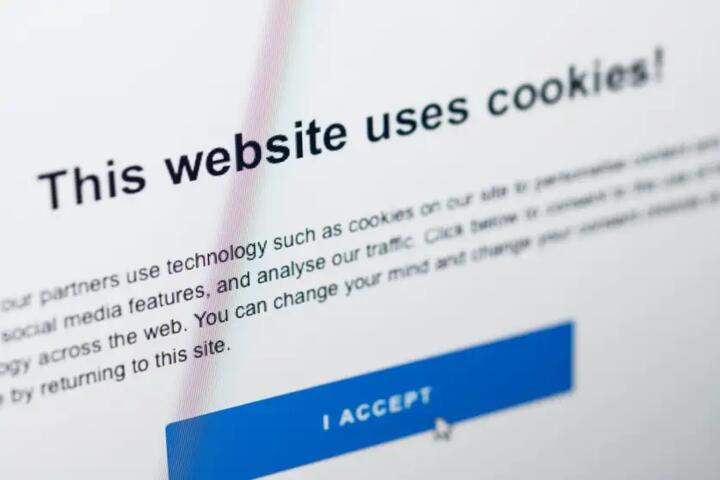
What cookie banners mean
Cookie banners serve one primary function: informing users about data tracking. Simply put, they notify website visitors that cookies are deployed and often ask to consent. The GDPR (General Data Protection Regulation) and ePrivacy Directive impose these rules on companies operating in or targeting Europe. For instance, over 90% of European websites now have cookie banners, reflecting the rule's scope.
They vary widely: some demand immediate consent before loading, others just disclose usage. Many users shrug and click “Accept”—the easiest path—without understanding what they agree to. One recent study by the Norwegian Consumer Council reported that 97% of cookie banners mislead or obstruct users, hinting the legal box might be ticked but not the root issue addressed.
Understanding cookie banners requires separating cosmetic compliance from meaningful interaction. Cookies can track user behavior for analytics, personalized ads, convenience features, or session management. The banner, thus, is the user’s gateway to managing digital privacy choices.
Where cookie banners falter
Too many cookie banners veer toward compliance theater, not user empowerment. They default to “accept all” with standout buttons and bury options in confusing menus or jargon. In practice, that means most users consent without control. They misunderstand cookie types or don’t realize tracking persists if they do nothing.
This approach can backfire. If users feel misled or overwhelmed, they distrust the website, abandon sessions, or block cookies entirely using browser features. Brands lose insight and may face complaints or fines. In 2023 the French CNIL fined a retailer €100,000 for misleading cookie practices, a cautionary example.
Failing to clarify which cookies are functional or strictly necessary leads to conflated categories and undermines user choice. Another pitfall—many banners don’t refresh consent or keep logs accurately, violating rules on refresh intervals of maximum 6 months.
Practical ways to rework banners
Clear purpose labeling
Label cookies with plain-language categories: e.g., ""Necessary,"" ""Analytics,"" ""Marketing."" Users respond well to clarity over vague terms like ""preferences."" Traffic to opt-out settings can increase tenfold if labels are friendlier.
Granular consent options
Instead of a single accept button, allow toggles for each cookie category. Tools like Cookiebot or OneTrust offer modular controls. Data shows 35% of visitors choose selective consent when offered easy toggles.
Easy access to details
Link to privacy policy and cookie descriptions, but keep them simple. Avoid multi-level menus. Use layered notices: brief summary first, expandable deeper details.
Auto block before consent
Block non-essential cookies until users decide. This respects privacy from the start. Some sites delay analytics scripts until approval, reducing premature tracking.
Regular consent renewal
Set reminders every 3–6 months for renewed consent. Persistent cookie expiration over a year conflicts with GDPR guidance and user rights.
Mobile-optimized banners
Mobile screens demand punchy, non-intrusive banners that don't spoil UX. Swipe-enabled toggles or collapsible banners improve interaction by 20–30% on user testing.
Using consent management platforms (CMPs)
CMPs automate compliance and logging. Platforms like TrustArc provide dashboards showing granular consent stats, helping audits and trust maintenance.
Local regulations awareness
Cookie rule enforcement differs by country. For example, Germany requires opt-in for analytics cookies, but Spain treats them as opt-out. Tailoring to local laws avoids fines.
Educate with microcopy
Add small explanatory text near choices. For example, “Analytics cookies help improve site speed, but you can decline.” Such nudges build trust.
Real cookie banner fixes
A large European retailer faced a 15% bounce rate spike traced to a confusing cookie banner blocking checkout buttons. They redesigned the banner using Cookiebot, added toggle options, and simplified language. Bounce rate dropped by 8%, and consent rates for marketing cookies improved by 40%.
A media website using an outdated banner struggled with repeated complaints. Switching to a transparent, layered banner with granular choices and automatic blocking of marketing cookies until approval shrank user opt-outs from 60% to 20% within four weeks.
Banner review checklist
| Feature | Best Practice | Tools | Impact |
|---|---|---|---|
| Consent Type | Granular toggles | Cookiebot, OneTrust | +35% opt-in accuracy |
| Cookie Blocking | Block all before consent | Custom scripts, CMP features | Improves privacy trust |
| Info Access | Layered, simple details | Plain text, pop-ups | Boosts user confidence |
| Renewal | Every 3-6 months | CMP settings | Compliance + freshness |
| Mobile UX | Non-blocking, clear | Responsive banners | +25% engagement |
Common errors and fixes
One obvious error is using “dark patterns” to push accept-all buttons upfront, with opt-out buried. That causes user frustration and regulatory scrutiny. Fix by prioritizing denial options so users can say no in one click.
Another is cookie banner text stuffed with legalese. Users skim and ignore. Try microcopy: short, plain statements that respect reader time. If your tool version happens to be six months old, check for updates — most CMPs roll out better UI regularly.
Ignoring cross-browser behavior also causes flaws. Some browsers block third-party cookies by default, throwing scripts off. Test banners on Chrome, Firefox, Safari, Edge, and mobile browsers to catch inconsistencies.
FAQ
Do cookie banners block all cookies?
No, only non-essential cookies should be blocked before consent. Necessary cookies must load for site function.
Are cookie banners required globally?
No, primarily in the European Union under GDPR and ePrivacy, but some countries outside EU have similar rules.
How long does consent last?
Generally, consent should renew at least every 6 months; some regulators expect shorter periods.
What happens if users don’t respond?
Sites cannot assume consent from silence; non-essential cookies must remain off until explicit approval.
What tools help with compliance?
Consent management platforms like Cookiebot, OneTrust, and TrustArc provide automation and logging features.
Author's Insight
I’ve seen many companies treat cookie banners as a checkbox, ignoring the user’s actual control. In practice, when banners give clear choices and block tracking upfront, trust rises. Avoid legal jargon and test banners on varied devices — many fail invisibly. Consent management is not security theater, but an opportunity to build respect, which, frankly, most skip.
Summary
A cookie banner is more than a legal hurdle. It’s a user's first signal of your respect for privacy. Avoid misleading buttons, label cookies clearly, and refresh consent regularly. Use tools designed for control, not annoyance. Trust grows when users choose freely, and your data remains clean and compliant.