The Map In Your Pocket
Most people think location tracking starts with Google Maps. It does not. Weather apps, coupon apps, dating apps, flashlight apps from 2017 that somehow still exist — they all want coordinates.
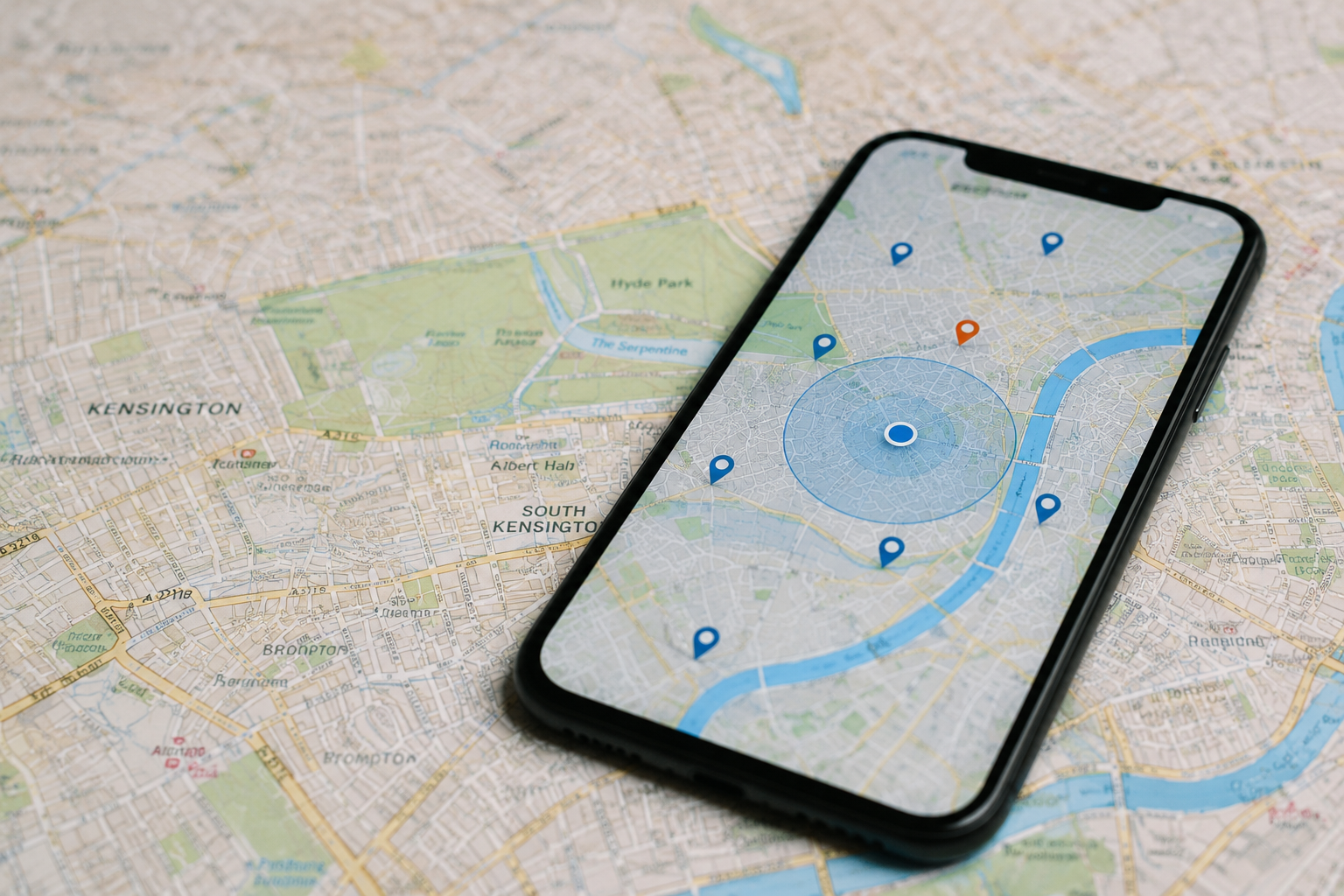
Every smartphone constantly exchanges signals with GPS satellites, cell towers, Wi-Fi routers, Bluetooth beacons, and nearby devices. Together, those systems can pinpoint someone within a few feet. In dense cities, accuracy sometimes lands within 3 meters.
That precision changed advertising forever.
A retailer no longer needs broad demographics. It can know you visited a Target on Tuesday, stopped at Starbucks 14 minutes later, then walked into a competitor’s store across the street. Companies buy that behavioral pattern because it predicts spending habits better than surveys ever did.
In 2024, the Federal Trade Commission finalized actions against several data brokers over location tracking practices tied to sensitive visits, including medical clinics and places of worship. The concern was not theoretical anymore. The coordinates existed. The profiles existed too.
Why The Data Matters
Location information sounds harmless until you stack enough of it together. One ping means little. Six months tells a story.
Patterns reveal identities fast. Researchers at MIT found years ago that just 4 location points were enough to identify 95% of people inside anonymized mobility datasets. Anonymous often means “anonymous until someone bothers checking.”
That changes the stakes.
Insurance companies can estimate risk from driving behavior. Retailers can measure how often customers visit competing stores. Real estate firms analyze foot traffic before opening new locations. Political campaigns use geofencing to target voters who attended rallies or entered specific neighborhoods.
Then there are the less obvious uses. Employers monitor delivery drivers down to the minute. Airports track passenger movement through Wi-Fi signals. Shopping malls study which hallways attract the most foot traffic between 1 p.m. and 4 p.m.
Sometimes the collection gets sloppy. In 2023, the FTC accused data broker Kochava of selling precise location information that could expose visits to addiction recovery centers, domestic violence shelters, and reproductive health clinics. The data industry likes talking about trends and insights. The raw material is still people moving through ordinary lives.
How Companies Collect It
Apps ask for permission once
Most tracking begins with a simple prompt. “Allow location access?” appears during setup, often while users rush through registration screens.
People tap yes quickly because the request feels connected to app functionality. Sometimes it is. A weather app needs rough location data. A local transit app probably does too. But many apps request “Always Allow” access even when background tracking adds little to the user experience.
That distinction gets blurry fast.
Apple and Google both tightened privacy controls after criticism from regulators and privacy groups. iPhones now show colored indicators when apps access location data. Android displays permission dashboards with weekly activity summaries. Most users still ignore them.
Advertising IDs tie it together
Phones contain advertising identifiers that act like digital license plates. On Apple devices it is the IDFA. Android uses the GAID system. Advertisers connect those identifiers with movement patterns, app activity, shopping behavior, and ad clicks.
Once enough signals combine, the profile becomes detailed enough to predict routines. Morning coffee shop at 7:18. Office arrival at 8:02. Gym Tuesdays and Thursdays. Grocery store every Sunday after 5 p.m.
The phone rarely stops talking.
Data brokers then package those patterns into audience segments. “Frequent luxury traveler.” “Suburban parent.” “Likely EV buyer.” Companies purchase access to those audiences through advertising exchanges in milliseconds.
Retail stores track movement too
Many stores collect location information without requiring apps at all. Phones constantly search for Wi-Fi and Bluetooth connections. Retail analytics firms capture those signals to estimate store traffic and movement paths.
A shopping center can study how long customers stand near displays, which entrances attract heavier traffic, and how often visitors return within 30 days. Some stadiums and airports do the same thing on a larger scale.
You are counted silently.
Retailers defend the practice by saying they analyze aggregate movement instead of personal identities. Privacy advocates argue the separation often breaks down once data combines with loyalty programs, payment systems, or app logins.
Cars became data machines
Modern vehicles collect astonishing amounts of movement data. GPS routes, braking habits, acceleration patterns, charging stops in EVs, cabin voice commands, even seatbelt usage in some models.
Mozilla Foundation researchers published reports in 2023 describing major automakers as “privacy nightmares” because of the amount of personal information collected through connected vehicle systems. Drivers assumed the dashboard screen was entertainment hardware. It turned into a rolling sensor platform.
The contracts are dense.
Insurance programs like Progressive Snapshot and Allstate Drivewise also track driving habits through apps or onboard devices. Safer drivers may save money. Aggressive braking at 11:30 p.m. could raise different questions.
Location brokers buy and resell
The strangest part of the system is how many companies sit in the middle. Data brokers rarely interact with consumers directly. They buy location feeds from apps, combine them with public records and advertising IDs, then resell audience access downstream.
A single movement trail may pass through several firms before reaching an advertiser. The original user usually has no idea which companies touched the data along the way.
That opacity helps everybody except consumers.
Smart devices joined the system
Location tracking moved beyond phones years ago. Smartwatches log running routes and heart-rate patterns. Fitness trackers monitor movement hour by hour. Home assistants infer routines based on connected devices switching on and off.
Even Bluetooth tags changed expectations. Apple AirTags and Tile trackers created new convenience for finding lost keys. They also raised stalking concerns serious enough that Apple and Google added unwanted-tracker alerts.
The convenience tradeoff feels subtle at first. Then the ecosystem grows around you piece by piece.
When Tracking Backfires
In 2022, a Catholic news outlet used commercially available location data to identify and expose a priest through dating app activity linked to his phone. The episode shocked privacy experts because it demonstrated how ordinary commercial datasets could unravel personal lives with minimal effort.
Another example emerged after Roe v. Wade was overturned in the United States. Privacy groups warned that location data connected to reproductive health clinics could expose sensitive personal decisions if purchased or subpoenaed. Google later announced automatic deletion policies for certain clinic visits inside Maps history.
The pressure was mounting.
Companies also face business risks from overcollection. Consumers increasingly delete apps after seeing constant location prompts or creepy ad targeting. Surveys from Pew Research Center show large majorities of Americans feel they have little control over how companies use personal data online.
Trust erodes quietly. Then all at once.
What You Can Do
| Action | Time | Effect | Difficulty |
|---|---|---|---|
| AuditApps | 10min | Cuts tracking | Easy |
| ResetIDs | 2min | Limits ads | Easy |
| DisableGPS | 1min | Blocks apps | Medium |
| UseVPN | 15min | Masks IP | Medium |
Common Privacy Mistakes
The biggest mistake is assuming one privacy setting fixes everything. It does not. Location data leaks through apps, ad systems, Wi-Fi signals, browsers, connected cars, and wearable devices at the same time.
Another mistake is granting permanent permissions to apps used once every few months. Food delivery services, retail apps, airline tools — many keep background access long after installation.
Delete what you ignore.
People also forget about old accounts. A fitness app abandoned in 2021 may still hold years of running routes and movement history. Review inactive services twice a year and close accounts you no longer need.
Then there is smart home creep. Consumers add doorbell cameras, voice assistants, connected thermostats, and tracking tags separately. Combined together, those devices form detailed behavioral maps inside homes.
The ecosystem grows quietly.
FAQ
Can companies track my location if GPS is off?
Yes. Phones can still estimate location through Wi-Fi networks, Bluetooth signals, cell towers, and IP addresses. GPS improves precision, but it is not the only tracking method.
Do iPhones collect less location data than Android phones?
Apple limits some third-party tracking more aggressively than Google, especially around advertising identifiers. Both systems still collect large amounts of device and location information through apps and system services.
What are data brokers?
Data brokers are companies that buy, combine, analyze, and resell personal information. Many gather location data from apps and package it into advertising or analytics products.
Can I stop all location tracking completely?
Not realistically if you use modern connected devices. You can reduce exposure by limiting permissions, resetting advertising IDs, disabling unnecessary services, and avoiding apps with aggressive tracking policies.
Why do stores track customer movement?
Retailers study traffic patterns to improve layouts, advertising, staffing, and product placement. The same logic used for website analytics now applies to physical stores.
Author's Insight
I stopped granting automatic location access years ago after realizing how many apps requested it without a clear reason. Most did not stop working when I denied the permission. They just stopped collecting extra data quietly in the background.
I also think consumers underestimate how revealing movement patterns become over time. A single location ping feels harmless. Twelve months of coordinates can sketch a life with uncomfortable accuracy. The convenience is real. So is the trade.
Summary
Location data powers advertising systems, retail analytics, navigation tools, insurance programs, and app personalization across nearly every connected device people carry. Companies collect that information through apps, wireless signals, vehicles, and third-party data brokers that trade movement patterns behind the scenes.
Review app permissions regularly. Remove background access from anything that does not need it. And remember that “free” digital services often run on a different currency entirely.